

Voolist for BigCommerce
BigCommerce Marketplace Listings, Not Just Another Product Feed
Push your catalog to eBay, Etsy, Poshmark, and Depop as real listings you can edit and price per channel. Stock stays right both ways.
14-day money-back guarantee
Loved by 2900+ resellers
Sound familiar?
The Parts of BigCommerce Plus Marketplaces That Go Wrong
If you’ve said any of these out loud this month, keep reading.
Every marketplace tool here wants an enterprise conversation.
This one doesn’t. A flat monthly plan, sign up yourself, cancel whenever. No demo call and no managed service retainer.
The channel apps go to Amazon and Google. None of them go to Poshmark.
That’s the gap we fill. Poshmark and Depop alongside eBay and Etsy, which matters if you sell apparel or anything secondhand.
A feed sends my data out. It doesn’t write me a listing.
Right, and that’s the difference. These are real listings you can template, re-word per channel, and edit photos for.
Somebody bought the last one on eBay and my store sold it again.
When something sells anywhere, stock updates in BigCommerce and on every other channel in seconds.
The same price everywhere means marketplace fees eat the margin.
Set a different price, title, and description per channel and protect the margin on your own store.
Nobody here is listing 400 products by hand.
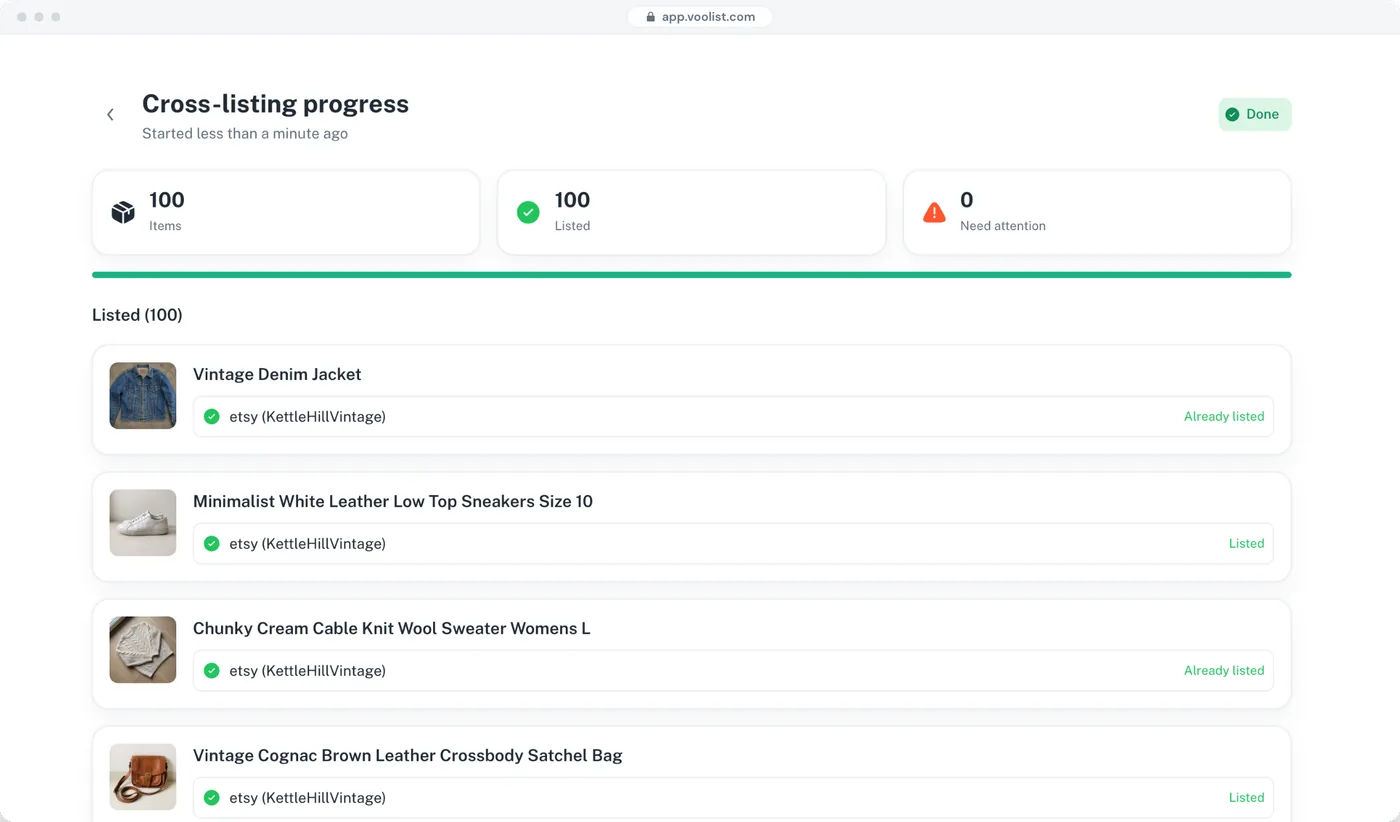
Import the catalog in one go, filter to what you want listed, and push it in bulk.
My storefront copy reads terribly on a marketplace.
Write the marketplace version once as a template and apply it to anything.
I need the whole range to drop at 9am, not whenever I get to it.
Build it ahead, set the date and time, and Voolist publishes it across every channel for you.
I run a retail store and a wholesale store on separate accounts.
Connect both and switch between them from one Voolist login.
Can you do Amazon?
No. If Amazon is where your volume is, the BigCommerce feed tooling is the right answer, and we aren’t going to pretend otherwise.
Real Listings, on the Channels a Feed Won’t Take You
Feed platforms are built to syndicate product data at scale to Amazon, Google, and the big marketplaces. Voolist does a narrower thing properly: it builds and manages actual listings on eBay, Etsy, Poshmark, and Depop, with templates, photo editing, and a price per channel, on a flat plan you can start today.
Listings, Not a Feed Dump
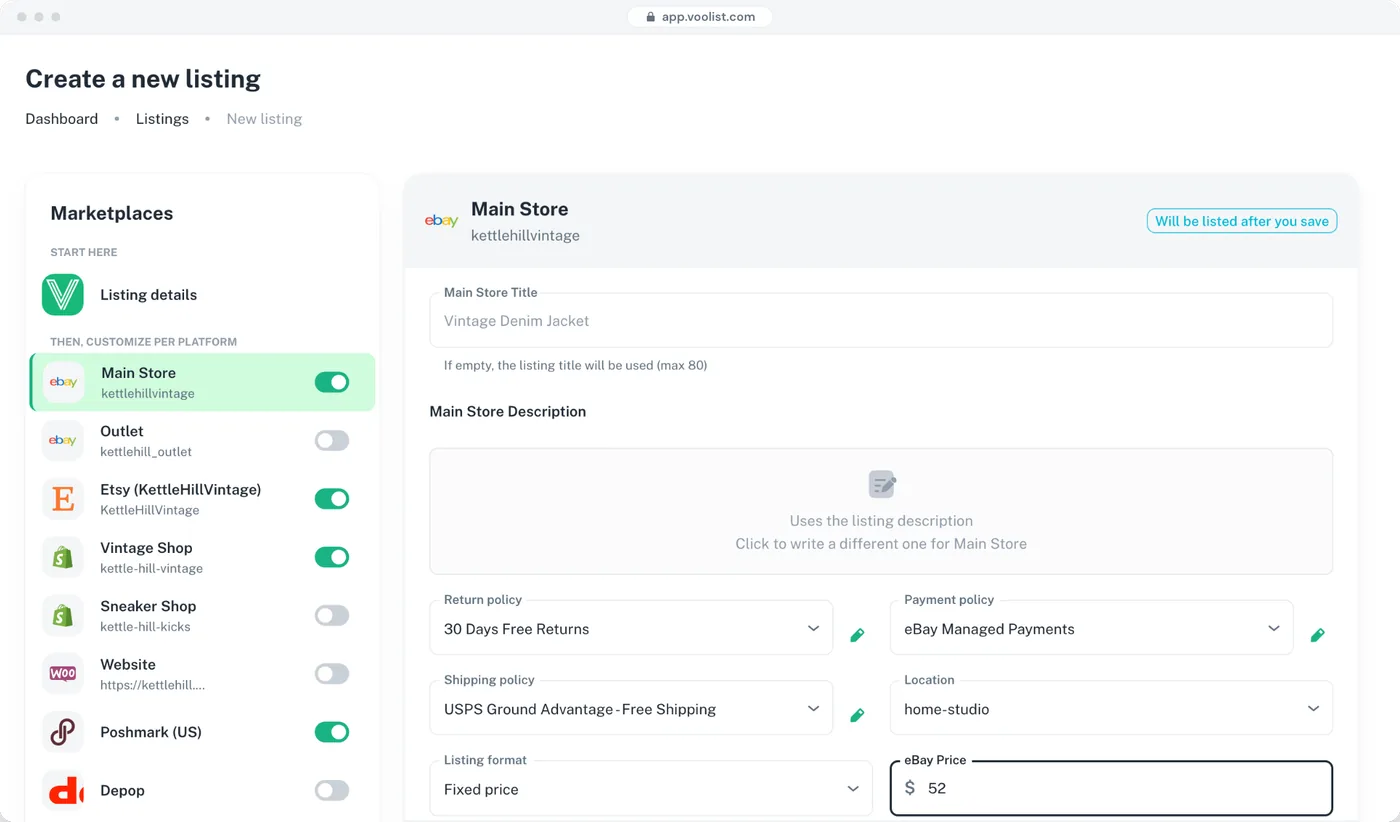
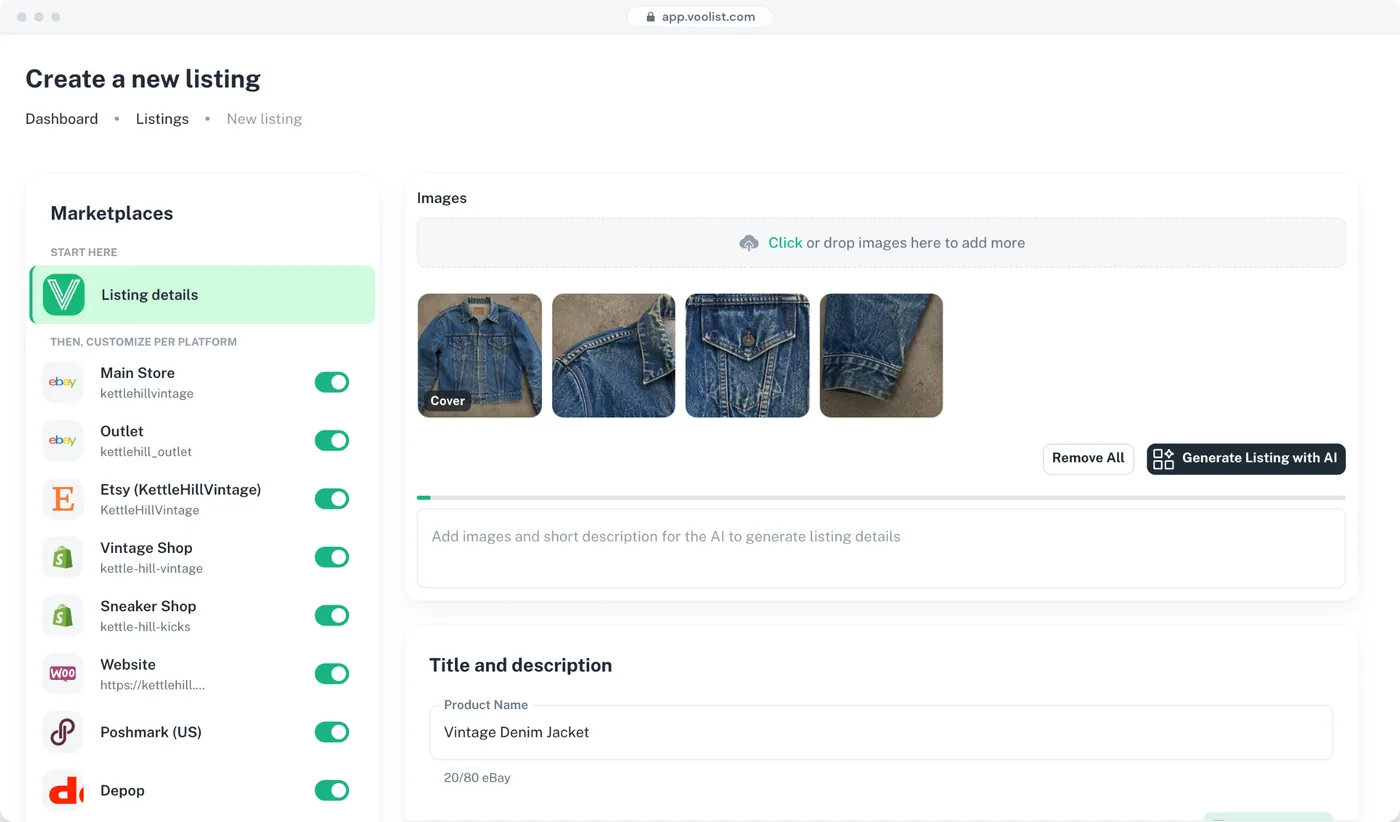
Voolist builds the actual listing: eBay gets item specifics, Etsy gets tags and attributes, Poshmark gets a mapped size and brand, Depop gets hashtags. You can open any of them and edit it.
- Products, images, and categories imported in one go
- Marketplace-specific fields filled in for each destination
- Every listing is editable, not a read-only feed row
- Categories mapped to the right category on each channel
A feed pushes your product data somewhere and hopes the destination makes sense of it.
Poshmark and Depop, Which Nothing in the BigCommerce Ecosystem Reaches
If you sell apparel, vintage, or anything secondhand, Poshmark and Depop are where a large share of your buyers are sitting.
- Poshmark and Depop alongside eBay and Etsy
- Sizes, brands, and hashtags handled per platform
- The same stock, so a store sale removes it from the marketplaces too
- Voolist doesn’t connect to Amazon or Walmart, and says so
The native channel tools and the feed platforms go to Amazon, Walmart, Google, and the big marketplaces. None of them reach resale.
One Sale, and Every Channel Knows
This is the part that makes multichannel survivable. A sale on your store drops the count on every marketplace, and a marketplace sale drops it in BigCommerce. In seconds, without you watching it.
- Sales detected and stock updated in seconds
- Works both ways between BigCommerce and every marketplace
- Sold-out items delisted from your other channels automatically
- Sales detection and auto-delist are on every plan

Voolist
Live on 0/7

Vintage Denim Jacket
SKU · VTG-DNM-014
$48

eBay

Poshmark

Depop

Etsy

Shopify
BigCommerce

WooCommerce
Publishing to all your platforms…
Marketplace Prices and Store Prices, Side by Side
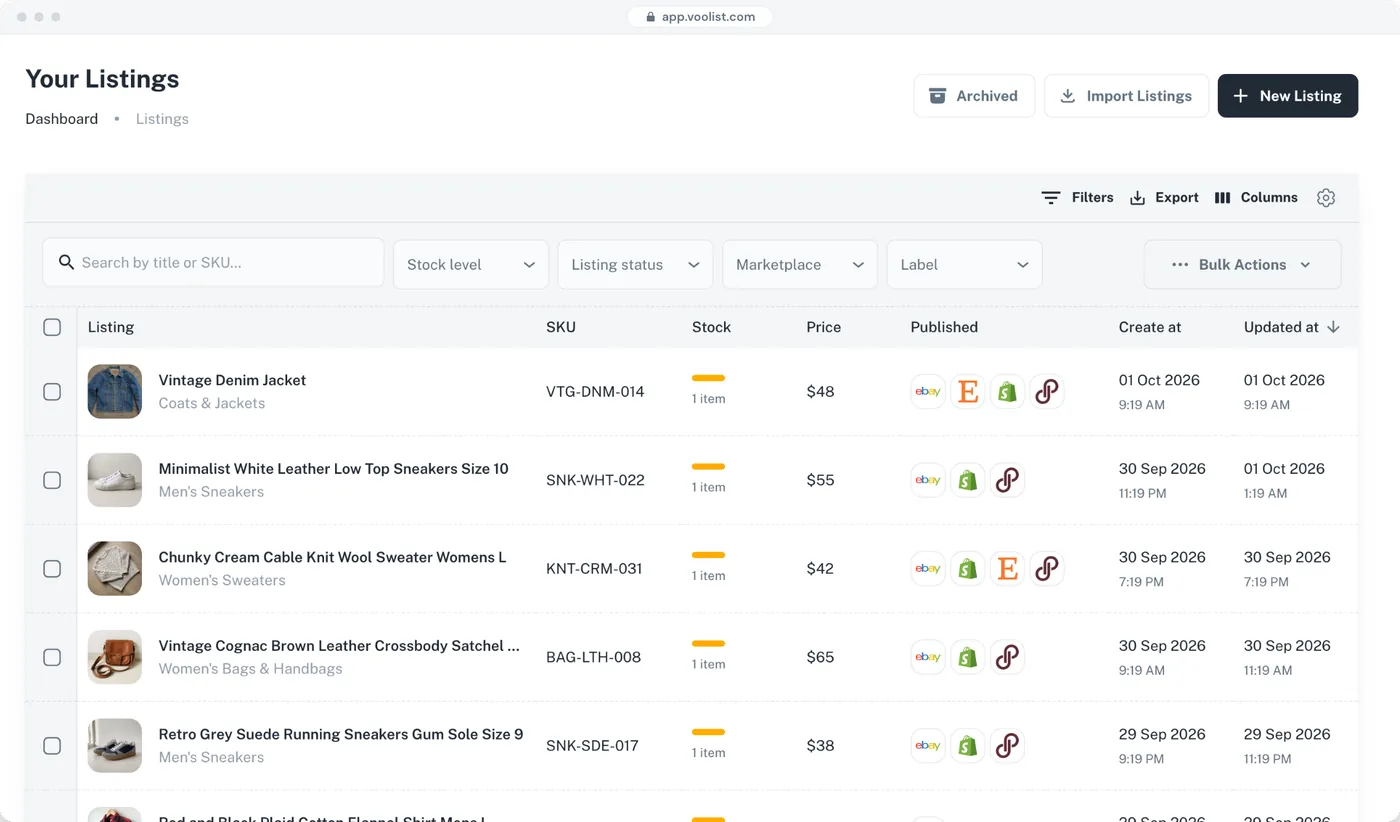
Marketplace commission isn’t your store’s cost base, so the same number shouldn’t appear everywhere. Price up where you pay a fee, hold your margin on your own store, and give each channel its own title and description too.
- Set a price per platform, not one price everywhere
- Different title and description per channel
- Change a price once and push it to the channels you choose
- Bulk price rules across hundreds of products at once
Move 400 Products Without Rebuilding a Feed
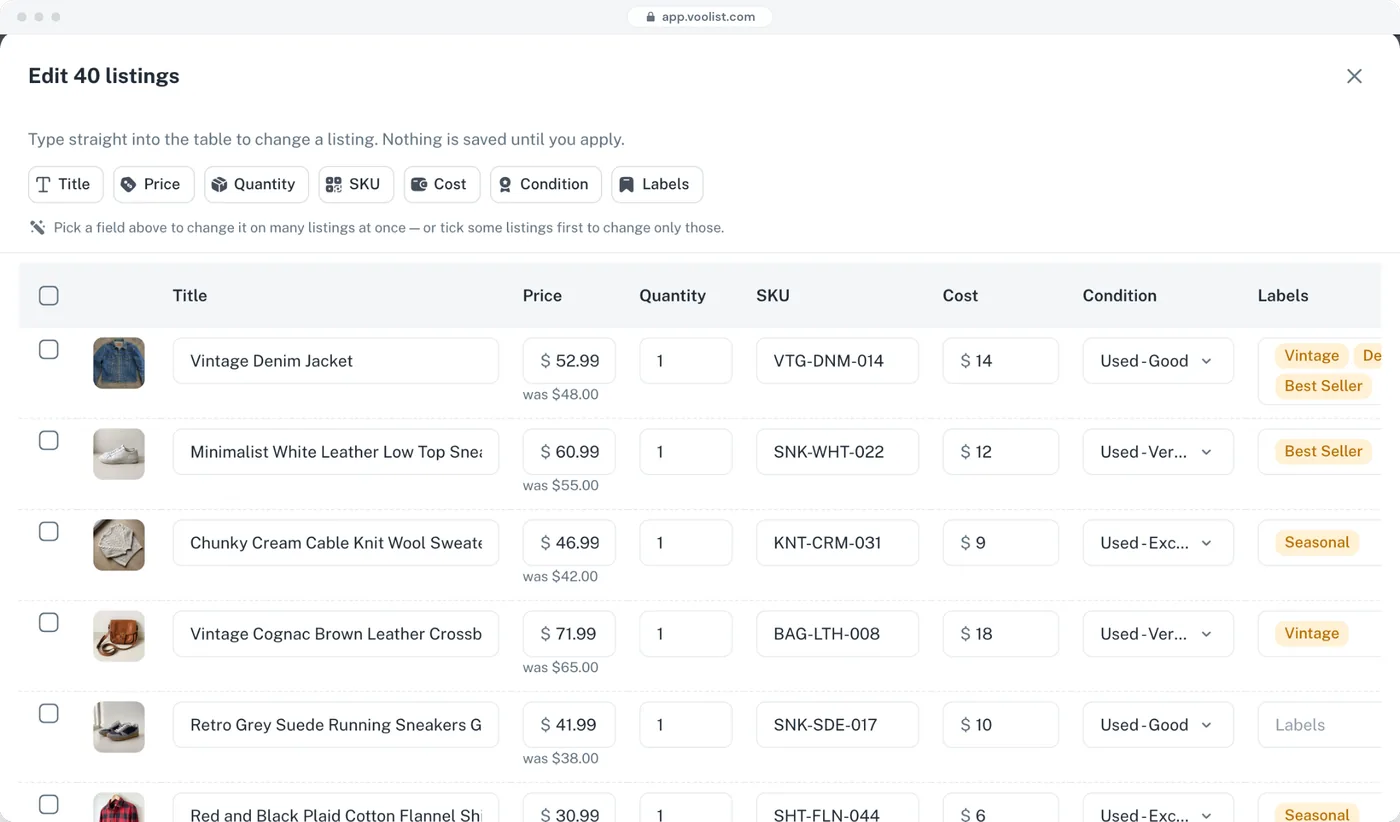
Filter to the products you want on a given channel, set the change once, and watch it land. Prices, titles, descriptions, categories, whatever needs to move.
- Bulk create, bulk edit, bulk delist and relist
- Filter by category, status, tag, SKU, platform, or date
- Watch each product complete instead of guessing
- Bulk cross-listing on every plan
No feed rebuild and no waiting for the next scheduled export.
Storefront Copy and Marketplace Copy Are Different Jobs
Storefront copy and marketplace copy are different jobs. Build the marketplace version as a template, apply it to anything, and edit photos in the same place instead of exporting and re-uploading.
- Unlimited reusable templates on every plan
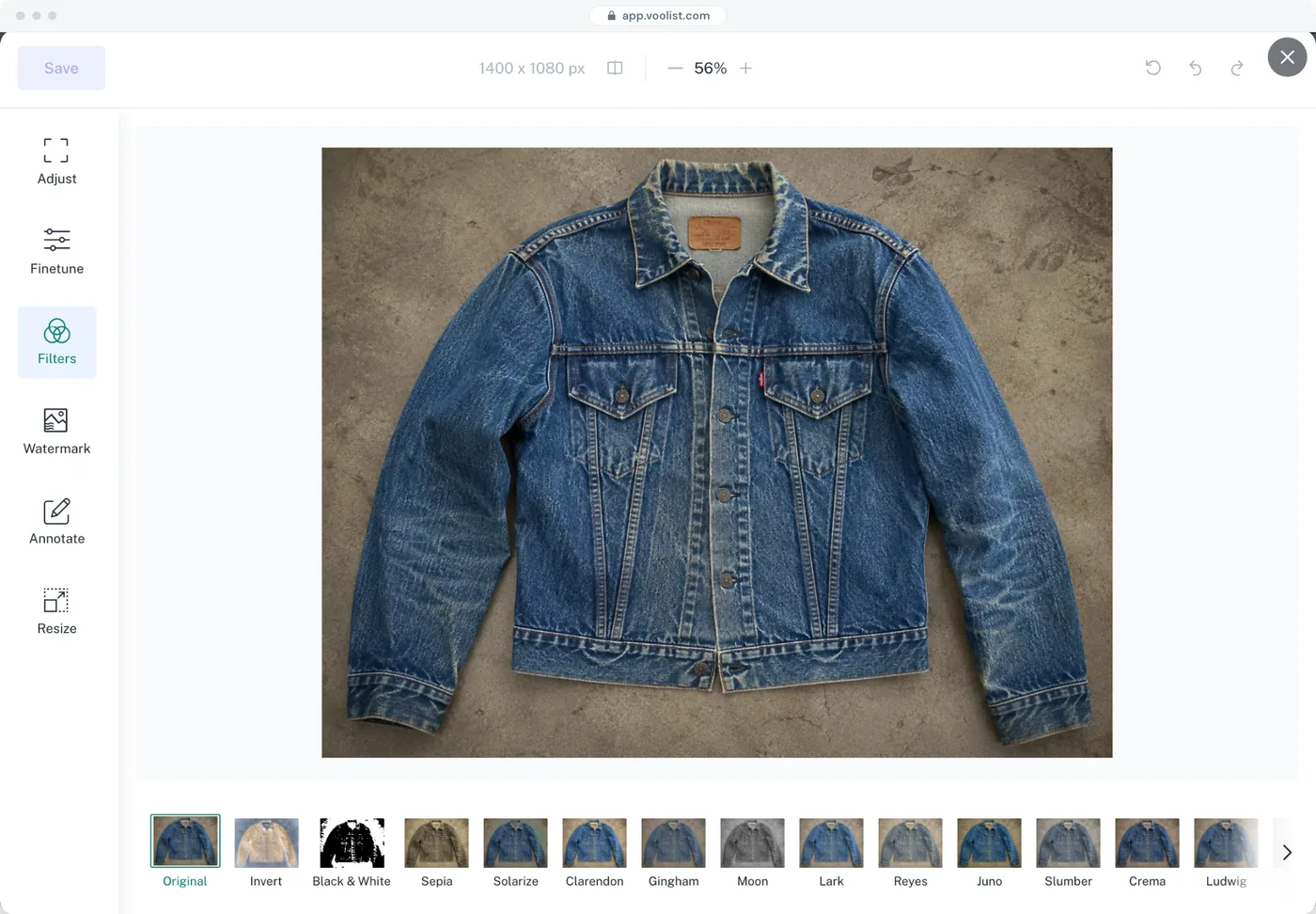
- Crop, resize, rotate, filter, watermark, and annotate photos
- Free unlimited photo hosting
- Turn any product into a template for the next one
Everything Goes Live at 9am, Without You
Build the whole thing ahead of time, pick the date and time, and Voolist publishes it across every connected channel when it comes around.
- Pick a date and time and Voolist publishes for you
- The same schedule across every connected channel
- Smart defaults that remember your recent categories and settings
- Schedule the delist too, for a sale that ends on time
No staying up to hit publish on six tabs.
Run Two or Three BigCommerce Stores From One Login
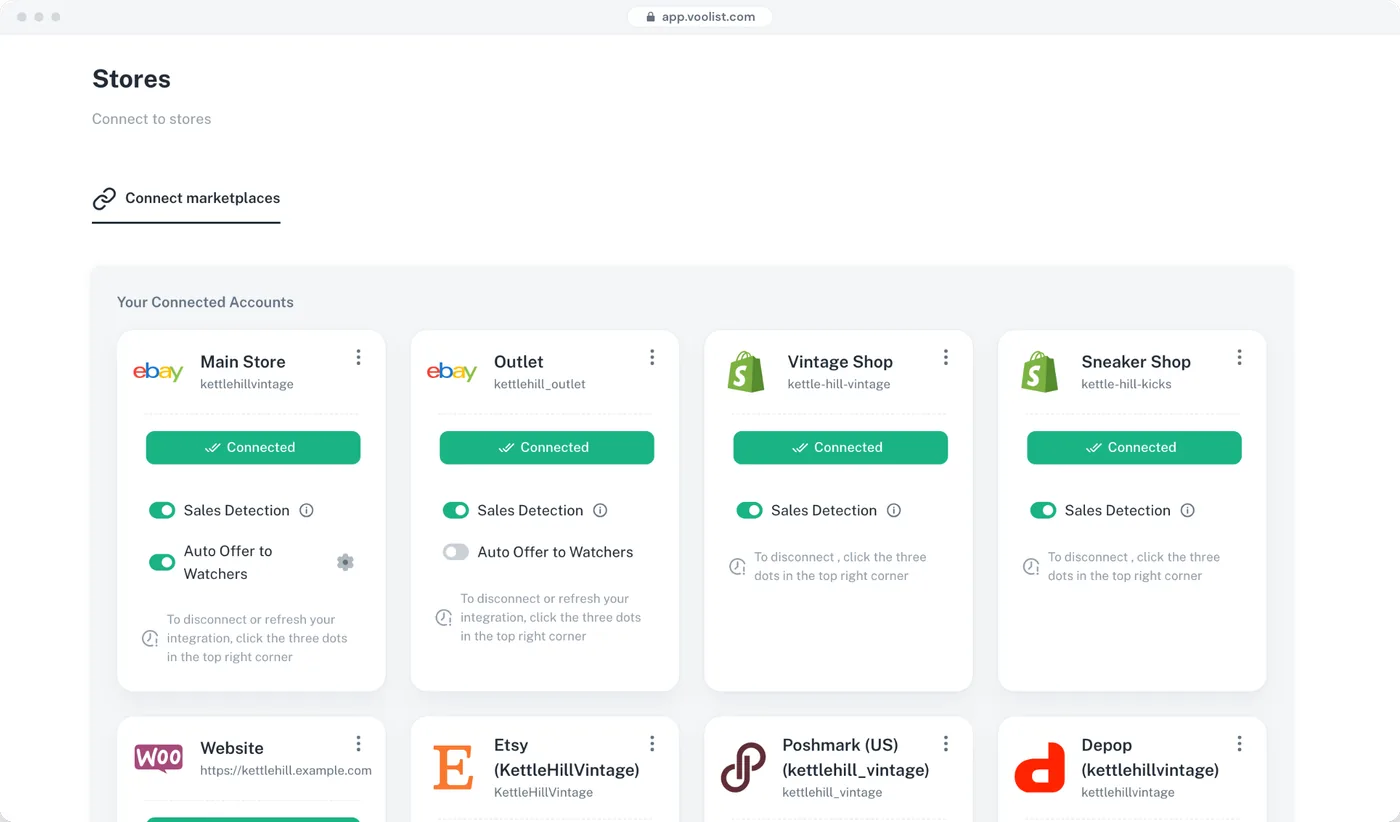
A retail store, a wholesale store, a second brand. Connect them all to Voolist and move between them without a second set of credentials.
- Connect and run more than one BigCommerce store from a single dashboard
- One store on Starter, two on Pro, three on Power 5K
- Move a product between your own stores without rebuilding it
- Works the same way for your marketplaces
Your Storefront, Plus Six Places Already Full of Buyers
BigCommerce is where your brand, your customer list, and your best margin live. Marketplaces are where people are already searching. Running both is the point, and the admin is the only reason people avoid it. That’s the part Voolist takes.
- One product publishes to all seven platforms
- Per-platform price, title, and description
- Stock correct across all of them, in seconds
- Your store stays the home base and keeps the customer
Getting set up
Connected to BigCommerce in About a Minute
- Create your accountSign up at Voolist. No card details needed to look around the app.
- Connect BigCommerce in one clickOpen "My stores" and hit Connect. It runs through BigCommerce’s OAuth flow, so there are no API keys to copy by hand.
- Import your catalogVoolist pulls in your products, images, and categories. Importing is read-only, so your storefront is untouched.
Plus the Small Things You Touch Every Day
None of these are add-ons you pay extra for. Where something needs a particular plan, it says so.
One-click catalog import
Pull products, images, and categories in. Read-only, so your storefront is untouched.
Import by CSV
Upload inventory from a spreadsheet instead of typing it in.
Smart duplicate detection
Importing from a marketplace too? Voolist spots the repeats and lets you merge them.
Clone any product
Turn an existing product into the starting point for the next one.
Different details per platform
One product, with its own price, title, and description on each channel.
Smart defaults that learn
Voolist remembers your recent categories and preferences and fills them in.
Search and filter your inventory
Find anything by SKU, tag, or keyword. Filter by category, platform, status, or date.
Mark as sold anywhere
Sold off-platform? Mark it once and your stock updates everywhere else.
Tags and labels
Organize your inventory the way you actually think about it.
Free photo hosting
We host your product photos. No extra account and no storage bill.
Your shop settings
Set your currency, units, and defaults once and stop thinking about them.
Live chat support
A real person to talk to, on every plan.
How it compares
BigCommerce Channels, Feed Platforms, and Voolist
Feed platforms syndicate product data to hundreds of channels and ad networks. Voolist builds and manages actual listings on a smaller set, including the resale marketplaces feeds don’t reach.
| Feature | Every feature, every planVoolist | Native channels | Feed platforms |
|---|---|---|---|
| Poshmark and Depop | Yes | No | No |
| eBay and Etsy | Yes | Limited | Yes |
| Listings you can open and edit per channel | Yes | Limited | No |
| Reusable listing templates | Yes | No | No |
| Photo editing built in | Yes | No | No |
| A different selling price per channel | Yes | Limited | Limited |
| Two or three stores from one login | Yes | No | Limited |
| Flat monthly price, no sales call | Yes | Limited | No |
| Amazon, Walmart, and Google Shopping | No | Yes | Yes |
| Advertising channel syndication | No | Limited | Yes |
| Hundreds of channels at feed scale | No | No | Yes |
| Get Started Now |
- Yes
- Limited
- No
Voolist doesn’t connect to Amazon, Walmart, Google Shopping, or advertising channels, and doesn’t do feed optimization. If your volume is on those, a feed platform is the right tool. This describes an approach rather than any one product.
From sellers using it
What Sellers Say About Voolist
I looooooooove how user-friendly it is. Other cross-listing platforms look like they're made with 1990 html-like design, but Voolist looks minimalist, modern, and easy to use. No clutter or mess. Just straight to the point. You create a listing, you cross-list it, and monitor it.
Full-Time Reseller
Voolist has honestly saved me so much time every week. What used to take hours now just takes a few clicks. The support team is also incredible, every time I've had a question, they've responded quickly and really made me feel valued.
Full-Time Reseller
Voolist is a godsend, thank you. I'm not just saying this, but Voolist has provided me a much needed tool that is very costly most places.
Full-Time Reseller
Voolist helped me increase sales. I was selling only on my Shopify store before, but once I started listing my products on eBay and other platforms, I saw more orders coming in. It is very simple to use and made a huge difference for my business.
Small Business Owner
I spent roughly 5 minutes on Voolist and what a piece of cake! I'm so far thrilled. I cannot begin to tell you how much I love it.
Reseller
I do like how simple it is to build listings here, and how easy everything looks, and I'm impressed with the communication. You folks have built a wonderful product.
Full-Time eBay Seller
I looooooooove how user-friendly it is. Other cross-listing platforms look like they're made with 1990 html-like design, but Voolist looks minimalist, modern, and easy to use. No clutter or mess. Just straight to the point. You create a listing, you cross-list it, and monitor it.
Full-Time Reseller
Voolist has honestly saved me so much time every week. What used to take hours now just takes a few clicks. The support team is also incredible, every time I've had a question, they've responded quickly and really made me feel valued.
Full-Time Reseller
Voolist is a godsend, thank you. I'm not just saying this, but Voolist has provided me a much needed tool that is very costly most places.
Full-Time Reseller
Voolist helped me increase sales. I was selling only on my Shopify store before, but once I started listing my products on eBay and other platforms, I saw more orders coming in. It is very simple to use and made a huge difference for my business.
Small Business Owner
I spent roughly 5 minutes on Voolist and what a piece of cake! I'm so far thrilled. I cannot begin to tell you how much I love it.
Reseller
I do like how simple it is to build listings here, and how easy everything looks, and I'm impressed with the communication. You folks have built a wonderful product.
Full-Time eBay Seller
I looooooooove how user-friendly it is. Other cross-listing platforms look like they're made with 1990 html-like design, but Voolist looks minimalist, modern, and easy to use. No clutter or mess. Just straight to the point. You create a listing, you cross-list it, and monitor it.
Full-Time Reseller
Voolist has honestly saved me so much time every week. What used to take hours now just takes a few clicks. The support team is also incredible, every time I've had a question, they've responded quickly and really made me feel valued.
Full-Time Reseller
Voolist is a godsend, thank you. I'm not just saying this, but Voolist has provided me a much needed tool that is very costly most places.
Full-Time Reseller
Voolist helped me increase sales. I was selling only on my Shopify store before, but once I started listing my products on eBay and other platforms, I saw more orders coming in. It is very simple to use and made a huge difference for my business.
Small Business Owner
I spent roughly 5 minutes on Voolist and what a piece of cake! I'm so far thrilled. I cannot begin to tell you how much I love it.
Reseller
I do like how simple it is to build listings here, and how easy everything looks, and I'm impressed with the communication. You folks have built a wonderful product.
Full-Time eBay Seller
I looooooooove how user-friendly it is. Other cross-listing platforms look like they're made with 1990 html-like design, but Voolist looks minimalist, modern, and easy to use. No clutter or mess. Just straight to the point. You create a listing, you cross-list it, and monitor it.
Full-Time Reseller
Voolist has honestly saved me so much time every week. What used to take hours now just takes a few clicks. The support team is also incredible, every time I've had a question, they've responded quickly and really made me feel valued.
Full-Time Reseller
Voolist is a godsend, thank you. I'm not just saying this, but Voolist has provided me a much needed tool that is very costly most places.
Full-Time Reseller
Voolist helped me increase sales. I was selling only on my Shopify store before, but once I started listing my products on eBay and other platforms, I saw more orders coming in. It is very simple to use and made a huge difference for my business.
Small Business Owner
I spent roughly 5 minutes on Voolist and what a piece of cake! I'm so far thrilled. I cannot begin to tell you how much I love it.
Reseller
I do like how simple it is to build listings here, and how easy everything looks, and I'm impressed with the communication. You folks have built a wonderful product.
Full-Time eBay Seller
Starter
The essentials to sell on every platform
Billed monthly
14-day money-back guarantee
1,000
25
1
Every feature, including:
Cross-list to 7 platforms from one form
Sales detection and auto-delist
Bulk cross-listing
One-click import or CSV upload
AI listing writer
Bulk edit, delist and relist
Live chat support
Pro
For growing sellers who need speed and automation
Billed monthly
14-day money-back guarantee
5,000
250
2
Everything in Starter, plus:
Two eBay accounts or two Shopify stores
3x the active listings
5x the drafts
10x the AI listings
Power
For high-volume sellers and agencies managing large catalogs
Billed monthly
14-day money-back guarantee
10,000
500
2
Everything in Pro, plus:
Priority sync
Priority support
Room for 2,000 to 10,000+ listings
Up to 1,000 AI listings a month
Try Voolist for 14 days
Not happy? Get a full refund, no questions asked.
Secure checkout
Cancel your plan anytime.
What BigCommerce Sellers Ask
eBay, Etsy, Poshmark, Depop, Shopify, and WooCommerce. Voolist doesn’t connect to Amazon, Walmart, Google Shopping, or advertising channels. If your volume is on those, BigCommerce’s own feed tooling will serve you better. Better you know that now than three weeks in.
A feed syndicates your product data outward and the destination makes what it can of it. Voolist builds an actual listing on each marketplace, with that marketplace’s own fields filled in, and you can open it, edit it, apply a template, and change its photos. Different job, smaller set of channels, more control over each one.
One click, inside Voolist. Open "My stores", hit Connect on BigCommerce, and authorize through BigCommerce’s OAuth flow. There are no API keys to copy by hand and it takes under a minute.
No. Voolist works through the API, not your storefront, so your theme, pages, and checkout are untouched. Importing is read-only.
It runs both ways. A sale on BigCommerce drops the count on every connected marketplace, and a marketplace sale drops it in BigCommerce. It happens in seconds and there’s nothing to configure. Sales detection and auto-delist are on every plan.
Yes, and you probably should. Marketplace commission isn’t your store’s cost base. Set a price per platform, and a different title and description too, so your own store keeps the better margin.
Yes. You schedule it in Voolist: pick the date and time, and Voolist publishes to each connected channel when that moment arrives. Useful for a range launch or a sale you want live everywhere at 9am.
Yes. You can connect more than one store and switch between them from a single Voolist login. How many depends on your plan: one on Starter, two on Pro, and three on Power 5K.
No. Pick a plan, sign up, connect your store. It is $19.99 a month on Starter up to $79.99 on Power 5K, with two months free if you pay yearly, and you can cancel anytime.
There’s no free trial, but every plan comes with a 14-day money-back guarantee. Try the full product and if it’s not for you within 14 days, you get a full refund.
If you sell from the USA, Canada, the UK, Australia, or anywhere in the EU, yes.
Still have questions?
Drop us an email at hello@voolist.com
Store plus marketplaces
New to Selling in More Than One Place?
Short answers here, and the full guide behind each one. Worth reading before you connect your first marketplace.
Why run a store and marketplaces together
Your store owns the customer and the margin. Marketplaces own the traffic. Sellers who do both use the store for repeat buyers and the marketplaces for discovery.
How cross-listing worksFeeds against listings
A feed is the right tool for hundreds of channels and for advertising. Real listings are the right tool when each channel wants different fields and different wording.
Bulk cross-listingThe overselling problem
The moment the same stock sits on two storefronts, one sale can create a cancellation on the other. Stock sync is what makes running both possible at all.
Inventory syncPricing for marketplaces and your own store
Commission, payment processing, and shipping all land differently per channel. One price everywhere means you’re either leaving money on your store or losing it on a marketplace.
Fee calculatorGetting your catalog in
Importing is the part people dread and it’s usually the quickest bit. Products, images, and categories come across, and nothing on your storefront changes.
Import listingsTools for running a BigCommerce store
Channel apps, feed platforms, and bookkeeping all overlap. Knowing which jobs one tool genuinely covers saves you a stack of monthly subscriptions.
Best tools to manage your BigCommerce storeWhere Should Your Products Go?
Voolist connects to six more platforms. The same catalog works on all of them.
Put Your Catalog Where the Buyers Already Are
Connect BigCommerce, import what you already sell, and pick which marketplaces get it. 14-day money-back guarantee on every plan.
Get Started Now14-day money-back guarantee